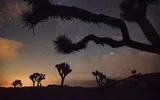
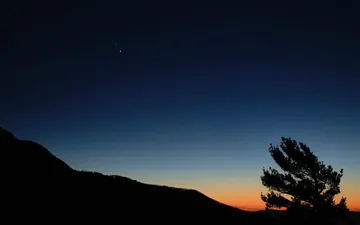
Even under street lights, the brightest meteors stay visible. Three simple habits help.
GGreen Notebook1 h
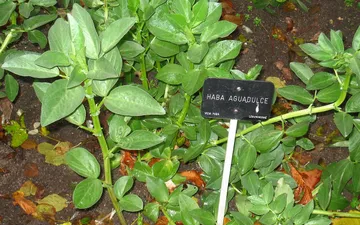
Sowing broad beans in November
A mild autumn is the right moment. Which varieties to choose and how deep to sow.
SSmall Photo Workshop2 h
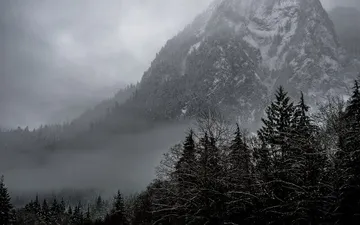
Photographing morning mist without a tripod
Lean on a fence, slow down your breathing and let the light do the rest.
RRail & Bike3 h
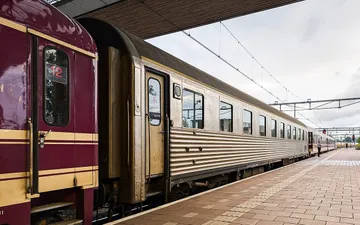
Crossing the Jura by night train and bike
Two days, 140 kilometres and a sleeper car. The route, the bike booking and the climbs.
SSlow Kitchen5 h
A vegetable stock that keeps all week
Peelings, a bay leaf and two hours on low heat. Then jars in the fridge.
FField Notes6 h
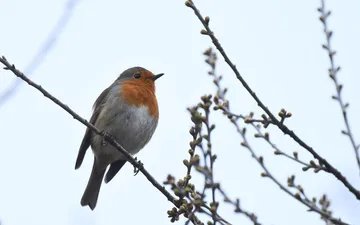
Counting garden birds in fifteen minutes
One cup of tea, one window and a notebook. How the winter count works.
DDeep Sky1 d
Moon, Saturn and Jupiter in a row this weekend
Look south-east after dinner. Binoculars are enough to see Jupiter’s moons.
GGreen Notebook1 d
Mulching flower beds with fallen leaves
Free, quick and good for the soil. Shred them first so they do not mat.
Three layouts, plus full screen
Read next to the list in three columns, sort quickly in two, leaf through pictures in the grid, or give one article the whole screen. Each feed keeps its own layout.
FriRSShome server
AA
All feeds48
Unread48
Favorites6
Inspiration
Reference
New category
Read later11
Weekend
Recipes
Tags
To reread2
Ideas3
Garden4
Nature18
DDeep Sky4
GGreen Notebook12
FField Notes2
Everyday15
SSlow Kitchen3
RRail & Bike7
SSmall Photo Workshop5
Log out
All feeds48
UnreadFavoritesAll read
Today · November 69
DDeep Sky12 min
The Leonids, from a city balcony
Even under street lights, the brightest meteors stay visible. Three simple habits help.
GGreen Notebook1 h
Sowing broad beans in November
A mild autumn is the right moment. Which varieties to choose and how deep to sow.
SSmall Photo Workshop2 h
Photographing morning mist without a tripod
Lean on a fence, slow down your breathing and let the light do the rest.
RRail & Bike3 h
Crossing the Jura by night train and bike
Two days, 140 kilometres and a sleeper car. The route, the bike booking and the climbs.
SSlow Kitchen5 h
A vegetable stock that keeps all week
Peelings, a bay leaf and two hours on low heat. Then jars in the fridge.
FField Notes6 h
Counting garden birds in fifteen minutes
One cup of tea, one window and a notebook. How the winter count works.
DDeep Sky1 d
Moon, Saturn and Jupiter in a row this weekend
Look south-east after dinner. Binoculars are enough to see Jupiter’s moons.
GGreen Notebook1 d
Mulching flower beds with fallen leaves
Free, quick and good for the soil. Shred them first so they do not mat.
UnreadFavoriteLaterFull article14
Deep Sky·Lea Martin · November 6, 2026 at 9:30 PM4 min
The Leonids, from a city balcony
astronomycitynight
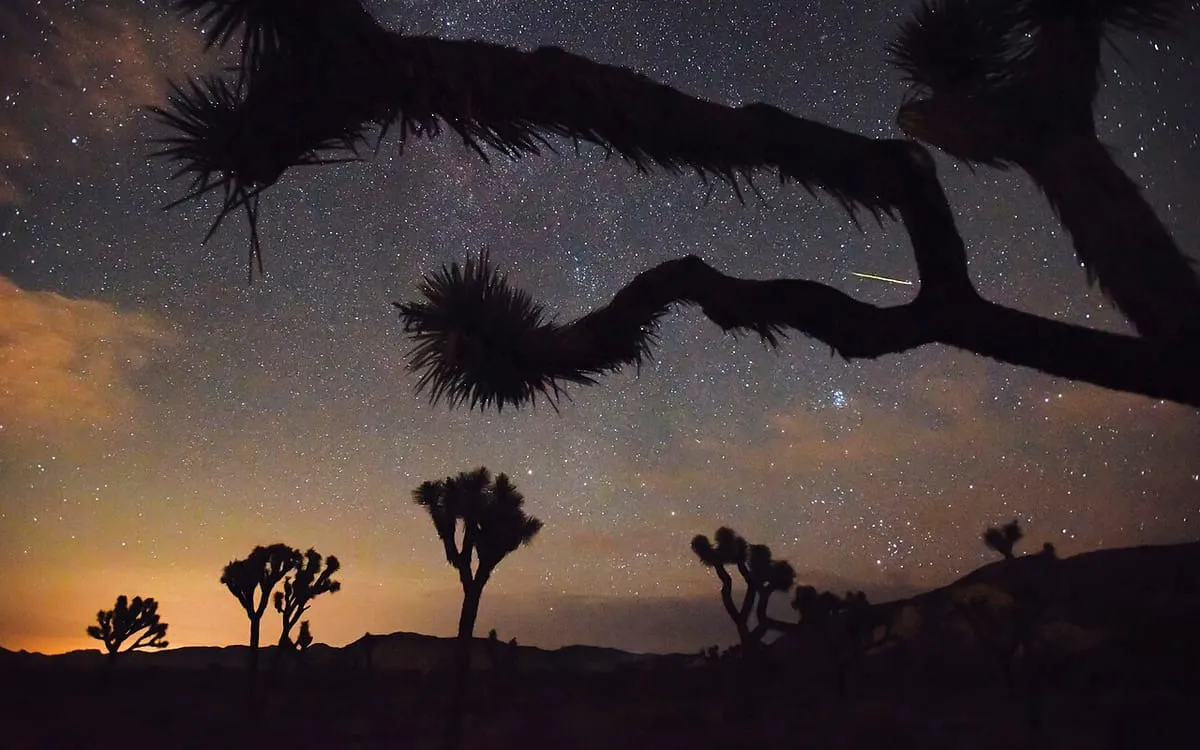
The Leonids peak around mid-November. In a city, most faint meteors disappear in the glow of street lights, but the brightest ones still cross the sky.
Switch off the lights in the room behind you, then give your eyes twenty minutes to adapt. Avoid your phone screen during that time.
After midnight, look east, slightly above the rooftops. A deckchair and a warm blanket do more than any telescope.
↑Previous article↓Next articleRMark as readDToggle favoriteLRead later⌘KCommand palette
FriRSShome server
AA
All feeds48
Unread48
Favorites6
Inspiration
Reference
New category
Read later11
Weekend
Recipes
Tags
To reread2
Ideas3
Garden4
Nature18
DDeep Sky4
GGreen Notebook12
FField Notes2
Everyday15
SSlow Kitchen3
RRail & Bike7
SSmall Photo Workshop5
Log out
All feeds48
UnreadFavoritesAll read
Today · November 69
DDeep Sky12 min
The Leonids, from a city balcony
Even under street lights, the brightest meteors stay visible. Three simple habits help.
GGreen Notebook1 h
Sowing broad beans in November
A mild autumn is the right moment. Which varieties to choose and how deep to sow.
SSmall Photo Workshop2 h
Photographing morning mist without a tripod
Lean on a fence, slow down your breathing and let the light do the rest.
RRail & Bike3 h
Crossing the Jura by night train and bike
Two days, 140 kilometres and a sleeper car. The route, the bike booking and the climbs.
SSlow Kitchen5 h
A vegetable stock that keeps all week
Peelings, a bay leaf and two hours on low heat. Then jars in the fridge.
FField Notes6 h
Counting garden birds in fifteen minutes
One cup of tea, one window and a notebook. How the winter count works.
DDeep Sky1 d
Moon, Saturn and Jupiter in a row this weekend
Look south-east after dinner. Binoculars are enough to see Jupiter’s moons.
GGreen Notebook1 d
Mulching flower beds with fallen leaves
Free, quick and good for the soil. Shred them first so they do not mat.
FriRSShome server
AA
All feeds48
Unread48
Favorites6
Inspiration
Reference
New category
Read later11
Weekend
Recipes
Tags
To reread2
Ideas3
Garden4
Nature18
DDeep Sky4
GGreen Notebook12
FField Notes2
Everyday15
SSlow Kitchen3
RRail & Bike7
SSmall Photo Workshop5
Log out
All feeds48
UnreadFavoritesAll read
Today · November 69
DDeep Sky12 min
The Leonids, from a city balcony
Even under street lights, the brightest meteors stay visible. Three simple habits help.
GGreen Notebook1 h
Sowing broad beans in November
A mild autumn is the right moment. Which varieties to choose and how deep to sow.
SSmall Photo Workshop2 h
Photographing morning mist without a tripod
Lean on a fence, slow down your breathing and let the light do the rest.
RRail & Bike3 h
Crossing the Jura by night train and bike
Two days, 140 kilometres and a sleeper car. The route, the bike booking and the climbs.
SSlow Kitchen5 h
A vegetable stock that keeps all week
Peelings, a bay leaf and two hours on low heat. Then jars in the fridge.
FField Notes6 h
Counting garden birds in fifteen minutes
One cup of tea, one window and a notebook. How the winter count works.
DDeep Sky1 d
Moon, Saturn and Jupiter in a row this weekend
Look south-east after dinner. Binoculars are enough to see Jupiter’s moons.
GGreen Notebook1 d
Mulching flower beds with fallen leaves
Free, quick and good for the soil. Shred them first so they do not mat.
Exit focus modeUnreadFavoriteLaterFull article14
Deep Sky·Lea Martin · November 6, 2026 at 9:30 PM4 min
The Leonids, from a city balcony
astronomycitynight
The Leonids peak around mid-November. In a city, most faint meteors disappear in the glow of street lights, but the brightest ones still cross the sky.
Switch off the lights in the room behind you, then give your eyes twenty minutes to adapt. Avoid your phone screen during that time.
After midnight, look east, slightly above the rooftops. A deckchair and a warm blanket do more than any telescope.
Your articles, even without a network
Install FriRSS on your home screen like an app. Move between articles with a swipe, and prepare the last 30 days for offline reading, images included.
Even under street lights, the brightest meteors stay visible. Three simple habits help.
GGreen Notebook1 h
Sowing broad beans in November
A mild autumn is the right moment. Which varieties to choose and how deep to sow.
SSmall Photo Workshop2 h
Photographing morning mist without a tripod
Lean on a fence, slow down your breathing and let the light do the rest.
RRail & Bike3 h
Crossing the Jura by night train and bike
Two days, 140 kilometres and a sleeper car. The route, the bike booking and the climbs.
SSlow Kitchen5 h
A vegetable stock that keeps all week
Peelings, a bay leaf and two hours on low heat. Then jars in the fridge.
FField Notes6 h
Counting garden birds in fifteen minutes
One cup of tea, one window and a notebook. How the winter count works.
9:4182
Deep SkyLea Martin · November 6, 2026 at 9:30 PM
4 min
The Leonids, from a city balcony
astronomycitynight
The Leonids peak around mid-November. In a city, most faint meteors disappear in the glow of street lights, but the brightest ones still cross the sky.
Switch off the lights in the room behind you, then give your eyes twenty minutes to adapt. Avoid your phone screen during that time.
After midnight, look east, slightly above the rooftops. A deckchair and a warm blanket do more than any telescope.
Six themes, 38 colours to adjust
Start from a built-in theme, then tune colours, text sizes and spacing. Save the result, export it and share it.
Deep Sky·Lea Martin · November 6, 2026 at 9:30 PM4 min
The Leonids, from a city balcony
astronomycitynight
Summary by Ollama
The Leonids peak in mid-November. From a balcony, switch off the lights, let your eyes adapt for twenty minutes and look east after midnight.
The Leonids peak around mid-November. In a city, most faint meteors disappear in the glow of street lights, but the brightest ones still cross the sky.
Switch off the lights in the room behind you, then give your eyes twenty minutes to adapt. Avoid your phone screen during that time.
After midnight, look east, slightly above the rooftops. A deckchair and a warm blanket do more than any telescope.
Tune the interface, down to each button
Change the list density, what each row shows, the buttons of the reading pane and of the bars. A hidden button stays in the command palette. Try it here.
FriRSShome server
AA
All feeds48
Unread48
Favorites6
Inspiration
Reference
New category
Read later11
Weekend
Recipes
Tags
To reread2
Ideas3
Garden4
Nature18
DDeep Sky4
GGreen Notebook12
FField Notes2
Everyday15
SSlow Kitchen3
RRail & Bike7
SSmall Photo Workshop5
Log out
All feeds48
UnreadFavoritesAll read
Today · November 69
DDeep Sky12 min
The Leonids, from a city balcony
Even under street lights, the brightest meteors stay visible. Three simple habits help.
GGreen Notebook1 h
Sowing broad beans in November
A mild autumn is the right moment. Which varieties to choose and how deep to sow.
SSmall Photo Workshop2 h
Photographing morning mist without a tripod
Lean on a fence, slow down your breathing and let the light do the rest.
RRail & Bike3 h
Crossing the Jura by night train and bike
Two days, 140 kilometres and a sleeper car. The route, the bike booking and the climbs.
SSlow Kitchen5 h
A vegetable stock that keeps all week
Peelings, a bay leaf and two hours on low heat. Then jars in the fridge.
FField Notes6 h
Counting garden birds in fifteen minutes
One cup of tea, one window and a notebook. How the winter count works.
DDeep Sky1 d
Moon, Saturn and Jupiter in a row this weekend
Look south-east after dinner. Binoculars are enough to see Jupiter’s moons.
GGreen Notebook1 d
Mulching flower beds with fallen leaves
Free, quick and good for the soil. Shred them first so they do not mat.
UnreadFavoriteLaterFull article14
Deep Sky·Lea Martin · November 6, 2026 at 9:30 PM4 min
The Leonids, from a city balcony
astronomycitynight
The Leonids peak around mid-November. In a city, most faint meteors disappear in the glow of street lights, but the brightest ones still cross the sky.
Switch off the lights in the room behind you, then give your eyes twenty minutes to adapt. Avoid your phone screen during that time.
After midnight, look east, slightly above the rooftops. A deckchair and a warm blanket do more than any telescope.
↑Previous article↓Next articleRMark as readDToggle favoriteLRead later⌘KCommand palette
Elsewhere in Preferences
Article order, newest or oldest first, feed by feed
A layout of its own for each feed
The view at launch: last view, All feeds or Unread
Mark as read on scroll
Size and format of grid cards
Your instance’s name and logo
Customisable keyboard shortcuts
The interface in ten languages
Counters for Favorites, Read later and labels: total, unread or both
What FriRSS adds to FreshRSS.
Read, sort and find things faster.
Fetches the full article
When a feed only sends an excerpt, Readability retrieves the whole text. You set it per feed.
RSS contentFull articleExtracting…Original
Deep Sky·Lea Martin · November 6, 2026 at 9:30 PM
The Leonids, from a city balcony
Even under street lights, the brightest meteors stay visible. Three simple habits help. […]
The Leonids peak around mid-November. In a city, most faint meteors disappear in the glow of street lights, but the brightest ones still cross the sky.
Switch off the lights in the room behind you, then give your eyes twenty minutes to adapt. Avoid your phone screen during that time.
After midnight, look east, slightly above the rooftops. A deckchair and a warm blanket do more than any telescope.
Runs from the keyboard
⌘K or Ctrl+K opens feeds, tags and actions. Every shortcut can be changed.
Go to a feed, a label, an action…deepesc
Views
Unread↵
Read later
Feeds
DDeep Sky
GGreen Notebook
Actions
Mark all as read
Show/hide sidebar
↑ ↓ to move · ↵ to open · Esc to close
Files with a long press
Put an article in Favorites or Read later, inside the sub-folders you create.
Small Photo Workshop2 h
Photographing morning mist without a tripod
Rail & Bike3 h
Crossing the Jura by night train and bike
Slow Kitchen5 h
A vegetable stock that keeps all week
File in…
Favorites
Inspiration
Reference
Read later
Weekend
Recipes
Summarises and translates, if you enable it
AI stays off until an administrator sets it up. A local model with Ollama or LM Studio works too.
Deep Sky·Lea Martin · November 6, 2026 at 9:30 PM4 min
The Leonids, from a city balcony
Summary by OllamaTranslate
The Leonids peak in mid-November. From a balcony, switch off the lights, let your eyes adapt for twenty minutes and look east after midnight.
The Leonids peak around mid-November. In a city, most faint meteors disappear in the glow of street lights, but the brightest ones still cross the sky.
Switch off the lights in the room behind you, then give your eyes twenty minutes to adapt. Avoid your phone screen during that time.
After midnight, look east, slightly above the rooftops. A deckchair and a warm blanket do more than any telescope.
And everything else
The four cards above show a few of them in detail.
The interface comes in ten languages and follows your browser’s. With AI turned on, FriRSS also translates the whole article, title and body, into any of 28 languages: on demand, or as soon as it opens for the feeds you pick. The source text is one click away.
FriRSShome server
AA
All feeds48
Unread48
Favorites6
Inspiration
Reference
New category
Read later11
Weekend
Recipes
Tags
To reread2
Ideas3
Garden4
Nature18
DDeep Sky4
GGreen Notebook12
FField Notes2
Everyday15
SSlow Kitchen3
RRail & Bike7
SSmall Photo Workshop5
Log out
All feeds48
UnreadFavoritesAll read
Today · November 69
DDeep Sky12 min
The Leonids, from a city balcony
Even under street lights, the brightest meteors stay visible. Three simple habits help.
GGreen Notebook1 h
Sowing broad beans in November
A mild autumn is the right moment. Which varieties to choose and how deep to sow.
SSmall Photo Workshop2 h
Photographing morning mist without a tripod
Lean on a fence, slow down your breathing and let the light do the rest.
RRail & Bike3 h
Crossing the Jura by night train and bike
Two days, 140 kilometres and a sleeper car. The route, the bike booking and the climbs.
Himmelsblick·Lena Maier · November 6, 2026 at 9:30 PM4 min
Die Leoniden, vom Balkon mitten in der Stadt
The Leonids, from a city balcony
astronomycitynight
Die Leoniden erreichen Mitte November ihren Höhepunkt. In der Stadt verschwinden die meisten schwachen Sternschnuppen im Schein der Straßenbeleuchtung, doch die hellsten ziehen weiterhin über den Himmel.
Schalten Sie das Licht im Raum hinter sich aus und lassen Sie Ihren Augen zwanzig Minuten Zeit, sich an die Dunkelheit zu gewöhnen. Meiden Sie in dieser Zeit den Handybildschirm.
Schauen Sie nach Mitternacht nach Osten, etwas über die Dächer hinweg. Ein Liegestuhl und eine warme Decke bringen mehr als ein Teleskop.
The Leonids peak around mid-November. In a city, most faint meteors disappear in the glow of street lights, but the brightest ones still cross the sky.
Switch off the lights in the room behind you, then give your eyes twenty minutes to adapt. Avoid your phone screen during that time.
After midnight, look east, slightly above the rooftops. A deckchair and a warm blanket do more than any telescope.
Works with your FreshRSS server
FreshRSS fetches and stores your feeds. FriRSS connects through its Google Reader API and takes care of reading, on every screen.
Installed in three steps
Start the container with Docker, Compose or Unraid.
Create your FriRSS account.
Connect your FreshRSS server with its API password.
DDeep SkyThe Leonids, from a city balcony6 November 2026 at 21:30
GGreen NotebookSowing broad beans in November6 November 2026 at 20:42
SSmall Photo WorkshopPhotographing morning mist without a tripod6 November 2026 at 19:55
RRail & BikeCrossing the Jura by night train and bike6 November 2026 at 19:10
SSlow KitchenA vegetable stock that keeps all week6 November 2026 at 18:24
FField NotesCounting garden birds in fifteen minutes6 November 2026 at 17:48
DDeep SkyMoon, Saturn and Jupiter in a row this weekend6 November 2026 at 16:05
GGreen NotebookMulching flower beds with fallen leaves6 November 2026 at 15:31
DDeep SkyThe Leonids, from a city balcony6 November 2026 at 21:30
GGreen NotebookSowing broad beans in November6 November 2026 at 20:42
SSmall Photo WorkshopPhotographing morning mist without a tripod6 November 2026 at 19:55
RRail & BikeCrossing the Jura by night train and bike6 November 2026 at 19:10
SSlow KitchenA vegetable stock that keeps all week6 November 2026 at 18:24
FField NotesCounting garden birds in fifteen minutes6 November 2026 at 17:48
FreshRSS, the original interfaceWith FriRSS
FriRSShome server
AA
All feeds48
Unread48
Favorites6
Inspiration
Reference
New category
Read later11
Weekend
Recipes
Tags
To reread2
Ideas3
Garden4
Nature18
DDeep Sky4
GGreen Notebook12
FField Notes2
Everyday15
SSlow Kitchen3
RRail & Bike7
SSmall Photo Workshop5
Log out
All feeds48
UnreadFavoritesAll read
Today · November 69
DDeep Sky12 min
The Leonids, from a city balcony
Even under street lights, the brightest meteors stay visible. Three simple habits help.
GGreen Notebook1 h
Sowing broad beans in November
A mild autumn is the right moment. Which varieties to choose and how deep to sow.
SSmall Photo Workshop2 h
Photographing morning mist without a tripod
Lean on a fence, slow down your breathing and let the light do the rest.
RRail & Bike3 h
Crossing the Jura by night train and bike
Two days, 140 kilometres and a sleeper car. The route, the bike booking and the climbs.
SSlow Kitchen5 h
A vegetable stock that keeps all week
Peelings, a bay leaf and two hours on low heat. Then jars in the fridge.
FField Notes6 h
Counting garden birds in fifteen minutes
One cup of tea, one window and a notebook. How the winter count works.
DDeep Sky1 d
Moon, Saturn and Jupiter in a row this weekend
Look south-east after dinner. Binoculars are enough to see Jupiter’s moons.
GGreen Notebook1 d
Mulching flower beds with fallen leaves
Free, quick and good for the soil. Shred them first so they do not mat.
UnreadFavoriteLaterFull article14
Deep Sky·Lea Martin · November 6, 2026 at 9:30 PM4 min
The Leonids, from a city balcony
astronomycitynight
The Leonids peak around mid-November. In a city, most faint meteors disappear in the glow of street lights, but the brightest ones still cross the sky.
Switch off the lights in the room behind you, then give your eyes twenty minutes to adapt. Avoid your phone screen during that time.
After midnight, look east, slightly above the rooftops. A deckchair and a warm blanket do more than any telescope.
GGreen NotebookSowing broad beans in November6 November 2026 at 20:42
DDeep SkyThe Leonids, from a city balcony6 November 2026 at 21:30
The Leonids, from a city balcony
DDeep Sky · By: Lea Martin · 6 November 2026 at 21:30
The Leonids peak around mid-November. In a city, most faint meteors disappear in the glow of street lights, but the brightest ones still cross the sky.
Switch off the lights in the room behind you, then give your eyes twenty minutes to adapt. Avoid your phone screen during that time.
After midnight, look east, slightly above the rooftops. A deckchair and a warm blanket do more than any telescope.
9:4182
FreshRSS
Received today — 6 November 2026
DThe Leonids, from a city balcony
GSowing broad beans in November
SPhotographing morning mist without a tripod
RCrossing the Jura by night train and bike
SA vegetable stock that keeps all week
FCounting garden birds in fifteen minutes
DMoon, Saturn and Jupiter in a row this weekend
GMulching flower beds with fallen leaves
DThe Leonids, from a city balcony
GSowing broad beans in November
SPhotographing morning mist without a tripod
RCrossing the Jura by night train and bike
SA vegetable stock that keeps all week
FCounting garden birds in fifteen minutes
FreshRSS, the original interface
9:4182
All feeds48
Today · November 69
DDeep Sky12 min
The Leonids, from a city balcony
Even under street lights, the brightest meteors stay visible. Three simple habits help.
GGreen Notebook1 h
Sowing broad beans in November
A mild autumn is the right moment. Which varieties to choose and how deep to sow.
SSmall Photo Workshop2 h
Photographing morning mist without a tripod
Lean on a fence, slow down your breathing and let the light do the rest.
RRail & Bike3 h
Crossing the Jura by night train and bike
Two days, 140 kilometres and a sleeper car. The route, the bike booking and the climbs.
SSlow Kitchen5 h
A vegetable stock that keeps all week
Peelings, a bay leaf and two hours on low heat. Then jars in the fridge.
FField Notes6 h
Counting garden birds in fifteen minutes
One cup of tea, one window and a notebook. How the winter count works.
With FriRSS
FriRSS is an independent project with no official tie to FreshRSS. FreshRSS and its interface belong to their authors; it is reproduced here for comparison.
Common questions
Another question? Ask it in the GitHub discussions.
It replaces the reading interface, not the feed engine. FreshRSS continues to fetch and store your subscriptions and articles. FriRSS connects through its Google Reader API.
Do I need a FreshRSS instance?
Yes. You need a working FreshRSS instance with API access enabled and an API password set for your FreshRSS account.
Is FriRSS free?
FriRSS is free and open source under the MIT license. You provide the hosting. Optional AI providers may charge for their services.
Can I host it myself?
Yes. Official Docker images support amd64 and arm64. Docker Compose and Unraid Community Applications are available too.
Does it work on my phone?
Yes. The responsive interface works in a mobile browser, and its PWA can be installed on your home screen. Prepare articles while connected to read them offline. HTTPS is needed for PWA features outside localhost.
Do I have to use AI?
No. AI is optional and disabled until an administrator enables it. Reading, organizing and personalizing your feeds work without it.
Can I choose my AI provider?
Yes. FriRSS supports Anthropic and OpenAI-compatible providers, including OpenAI, OpenRouter, Ollama and LM Studio. Provider and model availability depends on your configuration.
Where can I get help?
Start with the official README. Use GitHub Discussions for questions and GitHub Issues for reproducible bugs or feature ideas. See the Resources page for direct links.
Your FriRSS, your rules.
Try the online demo, then install FriRSS at home. Free, open source, no subscription.